How was my Microsoft Teams Admin Certification renewal?

Hey my Cloud Marathoner friends,

As a Cloud Marathoner, continuous learning is part of the journey. Recently, I renewed my Microsoft 365 Certified: Teams Administrator Associate certification, and I want to share the experience so you can prepare for yours.

Why Renewal Matters

Microsoft certifications are valid for one year, and renewal ensures your skills stay aligned with the latest updates in Microsoft Teams. The renewal process is free, online, and unproctored—perfect for busy professionals who want flexibility.

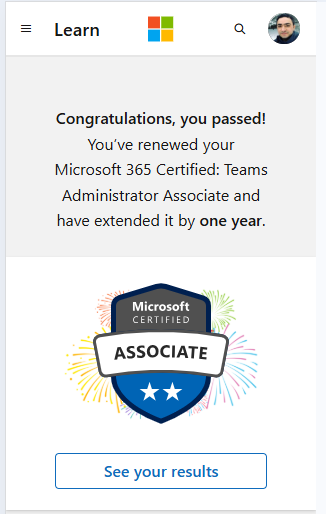
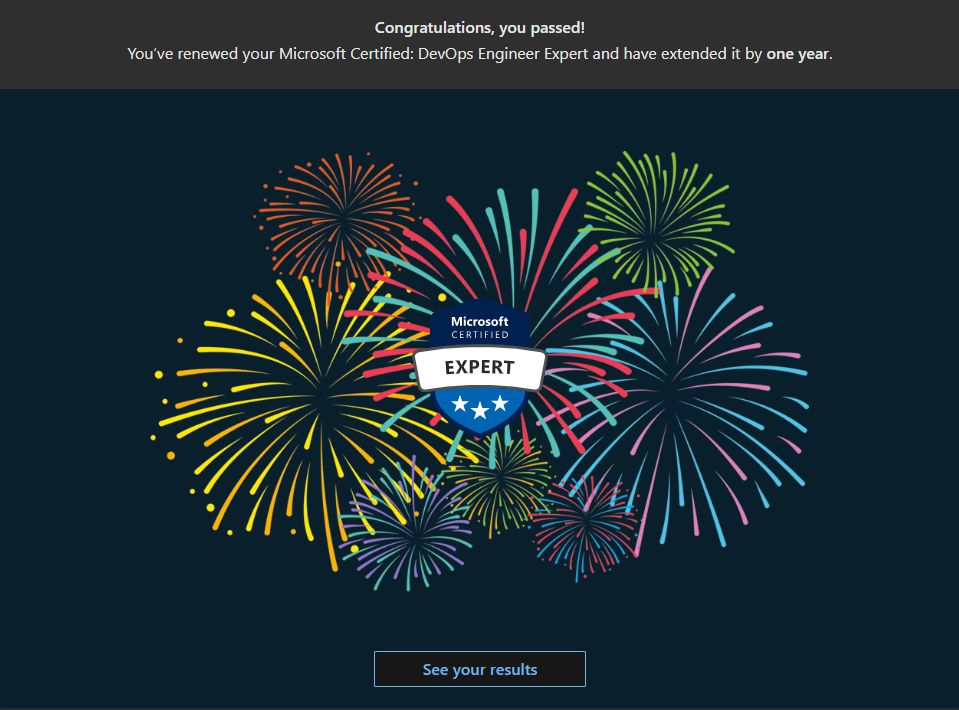
Got a renewal badge upon a successful renewal

The Renewal Process

Here’s what I learned from the official site on Microsoft Learn renewal page:

  • Eligibility: You can renew within six months before expiration.
  • Assessment: A short, open-book online assessment focused on recent Teams updates.
  • Skills Measured:
    • Implement compliance for Microsoft Teams
    • Lifecycle management and governance
    • Manage external access and Teams devices
    • Configure Teams Phone, auto attendants, and call queues
    • Manage apps and collaboration experiences for chat and channels
  • Attempts: Unlimited until expiration, with a 24-hour wait between retakes.
  • Validity: Passing extends your certification by one year.

Preparation Tips

Microsoft provides a curated learning collection (about 8 hours) to help you prepare. I recommend:

  • Reviewing Teams governance and compliance modules.
  • Practicing Teams Phone configuration scenarios.
  • Exploring device management and external access best practices.

Did i cleared the exam?

Well… not 100% flawlessly! 😅 While preparing for the renewal assessment, I discovered many new features and updates in Microsoft Teams—especially around management and governance. These changes reminded me that staying current is a continuous journey.

I had to catch up on several latest capabilities, and honestly, that was the most exciting part of the process. Despite all the odds, I managed to pass the assessment with a good score! 🎉

Here’s the reality check:

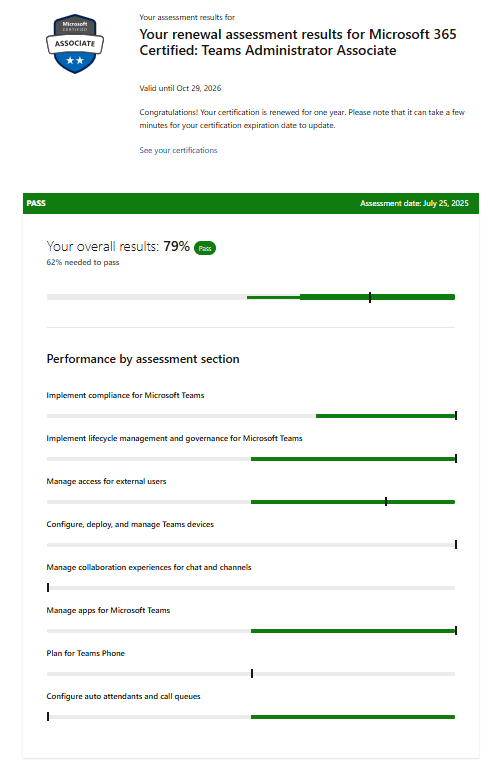
  • The renewal assessment highlighted areas where I need improvement.
  • Features like Manage collaboration experiences, advanced compliance settings and Teams phone deserve more attention in my learning plan.

And yes, I’ve got the screenshot from my exam results showing the points I should improve—because growth is all about transparency and learning forward.

Key Takeaways

Passing is great, but the real win is identifying gaps and planning your next learning sprint. That’s what makes us true Cloud Marathoners—always running toward knowledge, not just the finish line.

Are you planning to renew your Teams Admin certification soon?

Drop your thoughts in the comments or share your experience with the Cloud Marathoner community!

How Did I Renew the Microsoft Power BI Data Analyst Certification?

Hello Cloud Marathoners !

As a Cloud Marathoner, the journey never stops!
Recently, I renewed my Microsoft Certified: Power BI Data Analyst Associate certification, and I want to share the experience so you can prepare for yours.

Why Renewal Is Important

Microsoft certifications are valid for one year, and renewal ensures your skills stay aligned with the latest Power BI updates. The renewal process is free, online, and proctored—perfect for professionals who want flexibility without scheduling hassles.

The Renewal Process and eligibility

Here’s what I learned from the official Microsoft learn site.

  • Eligibility: You can renew within six months before expiration.
  • Assessment: A short, open-book online assessment focused on recent Power BI updates.

  • Skills Measured:
    • Clean, transform, and load data in Power BI
    • Configure semantic models
    • Use DAX time intelligence and modify filter context
    • Optimize models for performance
    • Create visual calculations and enhance report designs
    • Manage workspaces and secure data access in Power BI Service

  • Attempts: Unlimited until expiration, with a 24-hour wait between retakes.
  • Validity: Passing extends your certification by one year.

Preparation Tips

Microsoft provides a curated learning collection (about 11 hours) to help you prepare. I recommend:

  • Reviewing DAX fundamentals and performance optimization.
  • Practicing workspace management and security settings.
  • Exploring visual design enhancements for better user experience.

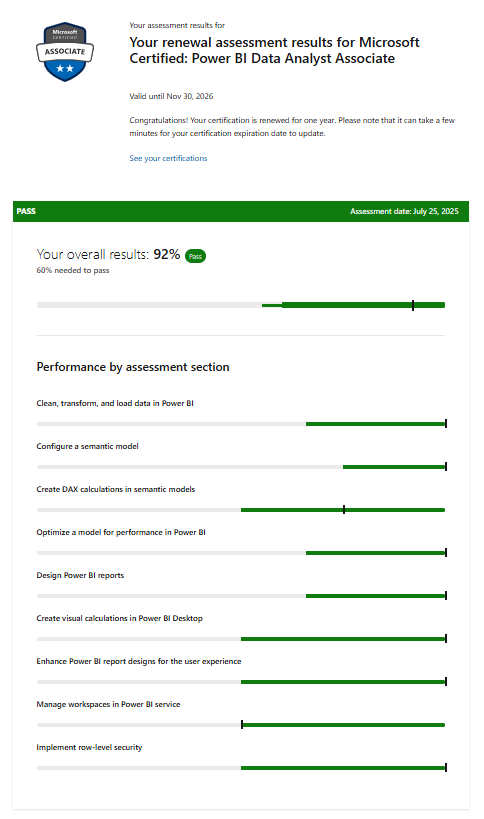
My Experience and Exam results

The renewal was straightforward with the following simple, and known steps:

  • Logged into Microsoft Learn, clicked Renew.
  • Took the assessment.
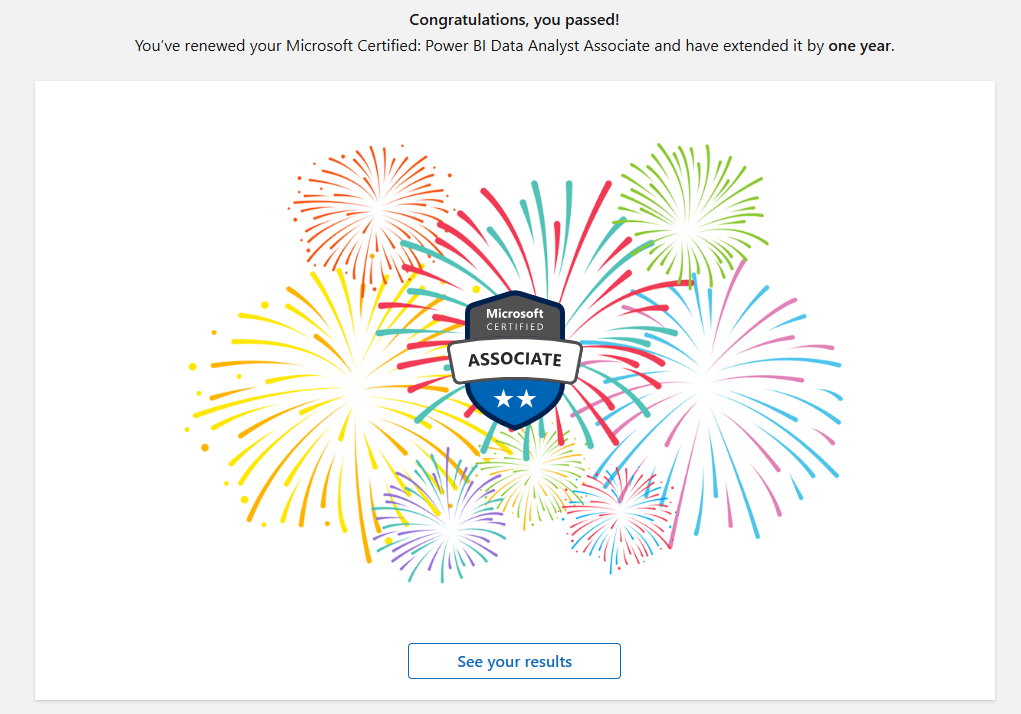
  • Passed on the first attempt! 🎉

The best part? No stress, just focused learning and validation of current skills.

Key Takeaways

  • Start early—don’t wait until the last week.
  • Use Microsoft’s official learning paths for prep.
  • Treat renewal as an opportunity to refresh your knowledge and stay ahead.

Are you planning to renew your Power BI Data Analyst Certification soon?

Drop your thoughts in the comments or share your experience with the Cloud Marathoner community!

Who are the Microsoft MVPs 🌟 and how to become one?

Becoming a Microsoft MVP isn’t about chasing a title—it’s about embracing a mission.

As the community lead of Cloud Marathoner, I’ve had the privilege of walking alongside cloud engineers, architects, and passionate tech enthusiasts who are building, sharing, and growing together. Many of them ask me: “How do I become a Microsoft MVP?”

The answer is both simple and profound: do what you love and give back.

🧭 What Is a Microsoft MVP?

The Microsoft Most Valuable Professional (MVP) award recognizes exceptional community leaders who share their expertise, uplift others, and contribute meaningfully to the tech ecosystem. It’s not a certification—it’s a celebration of consistent, authentic impact.

According to the official Microsoft MVP site, the MVPs are selected for their contributions across blogs, talks, open-source projects, user groups, and more. They are the spark that keeps the community thriving.

🛤️ My Journey: From Passion to Purpose

When I started Cloud Marathoner, it was just a blog. But it quickly became a movement—a space where cloud professionals could learn, share, and grow together. I didn’t set out to become an MVP. I set out to help others to succeed in their unique Cloud journey. And that’s the secret.

As Betsy Weber, Microsoft Program Manager beautifully put it:

“Don’t follow the crowd—find your gap and fill it with passion, creativity, and community.”

🎉 Celebrating Microsoft AWARD

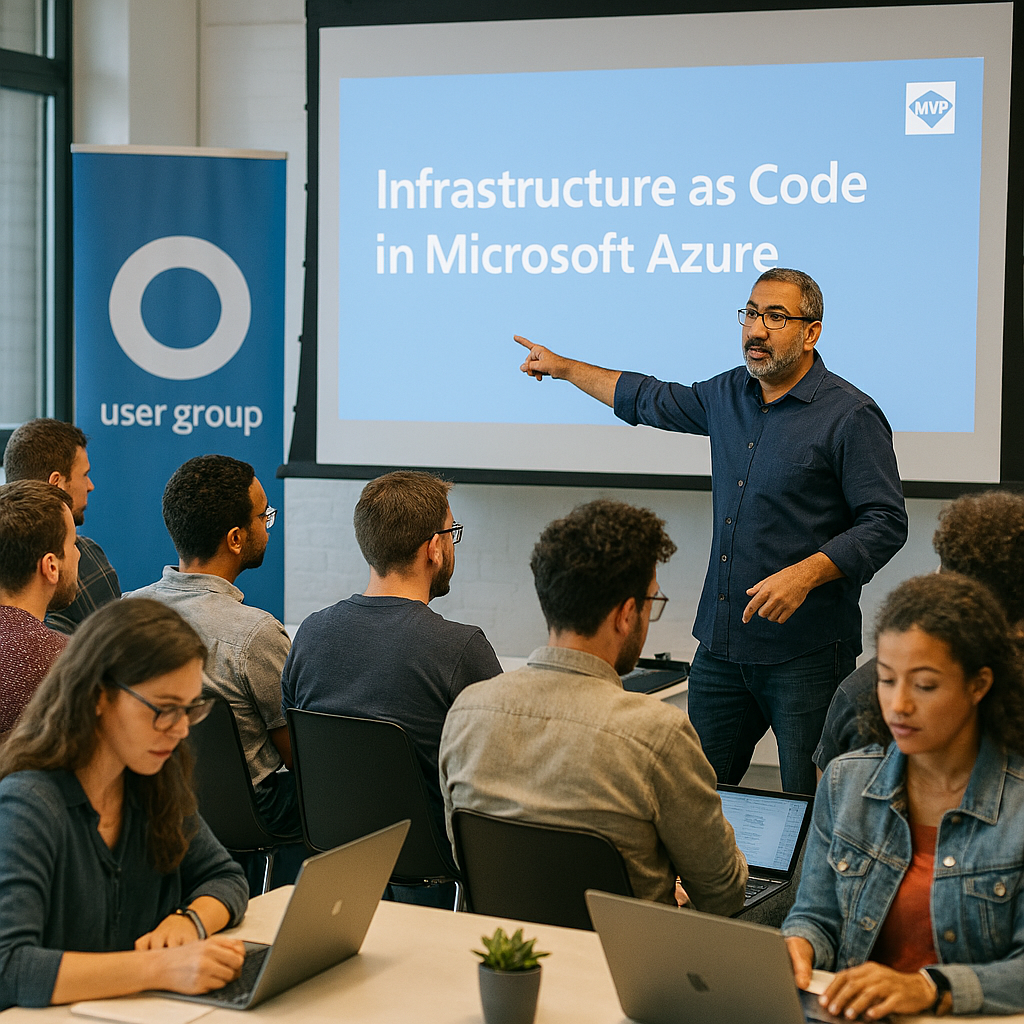
This year, I’m incredibly honored to celebrate my 4th consecutive Microsoft MVP award recognition from Microsoft. It’s a meaningful milestone that reflects the many community events, sessions, and contributions I’ve wholeheartedly delivered over the last year. My focus remains strong on Infrastructure as Code and Cloud Optimization, while I continue to explore and share innovations in AI and GitHub Copilot to empower and uplift our community of cloud engineers, architects, and tech enthusiasts.

🧩 Find Your Gap, Fill It with Passion

You don’t need to be the loudest voice. You need to be the most authentic one.

  • 🎨 Like MVP Luise Freese, who turned technical content into sketchnotes that even Satya Nadella noticed.
  • 🌍 Like Sharon Weaver, who kept her user group alive through the pandemic.
  • 🎤 Like Lee Englestone, who built a Visual Studio tips site that led to talks and a book.

Each of them found a unique way to give back. So can you.

🧱 actionable Steps to Becoming a Microsoft MVP

  1. Be an Expert
    Master your craft. Stay current. Share what you learn.
  2. Be a Leader
    Start a user group. Mentor others. Create inclusive spaces.
  3. Be an Advocate
    Provide feedback to Microsoft. Champion tools that help others.
  4. Be Consistent
    MVP is a marathon, not a sprint. Keep showing up.
  5. Be Visible
    Blog, speak, stream, post—whatever suits your style. Just share.

💬 Final Thoughts: Your Spark ✨ Matters

You don’t need permission to start. You don’t need a title to lead. You just need to care enough to contribute.

Whether you’re streaming your learning journey, launching a user group, or writing your first blog post—you’re already on the path.

So go ahead. Share your knowledge. Be helpful. Look for gaps to fill.
The community is waiting for your spark. ✨

Interested to build a 🔐 secure, efficient, and scalable 🚀 Azure network infrastructure ⁉️ 🤔

Greeting to all #CloudMarathoner friends,

Recently, I have been asked more about Azure VNet and some best practices in building a resilient, secure, and scalable network infrastructure in Microsoft Azure platform.

This is a very huge and important topic and will not be addressed with just one post. However, I will try to address this important topic high level recommendations and guidelines that Microsoft recommends, and I followed in my design sessions with the customers.

Where to get started?

Let’s consider the following comprehensive guide that will help you get started.
This is – in no way or shape a completed guidelines and does require improvements over time, based on your custom application, compliance and workload requirements.

1️⃣ Design Your Network Architecture
✅ Virtual Networks (VNets): Create VNets to logically isolate your resources. Use subnets to segment the network for better management and security.
✅ Hub-and-Spoke Topology: Implement a hub-and-spoke model to centralize shared services in the hub VNet and connect multiple spoke VNets for isolation and scalability

2️⃣ Implement Network Security
✅ Network Security Groups (NSGs): Use NSGs to control inbound and outbound traffic to your resources. Define rules based on IP addresses, ports, and protocols.
✅ Azure Firewall: Deploy Azure Firewall for centralized network security. It provides threat intelligence-based filtering and logging
✅ Azure DDoS Protection: Enable DDoS protection to safeguard against distributed denial-of-service attacks.

3️⃣ Optimize Performance and Efficiency
✅ Azure Load Balancer: Use load balancers to distribute traffic across multiple resources, ensuring high availability and reliability.
✅ Azure Application Gateway: Implement Application Gateway for web traffic load balancing, SSL termination, and web application firewall capabilities.
✅ ExpressRoute: Establish private connections between your on-premises networks and Azure for faster and more reliable connectivity

4️⃣ Ensure Scalability
✅ Virtual Network Peering: Use VNet peering to connect VNets within the same region or across regions, allowing seamless resource access without performance bottlenecks.
✅ Azure Virtual WAN: Optimize and automate branch-to-branch connectivity with Azure Virtual WAN.

5️⃣ Monitor and Manage
✅ Azure Monitor: Use Azure Monitor to track the performance and health of your network resources. Set up alerts for critical events.
✅ Network Watcher: Utilize Network Watcher for network diagnostics and visualization. It helps in troubleshooting and monitoring network performance.

Best Practices?

Followings are the high-level “best practices” that will apply to most use cases:

✔️ Least Privilege Principle: Apply the principle of least privilege to all network resources.
✔️ Regular Audits: Conduct regular security audits and vulnerability assessments.
✔️ Automation: Use infrastructure as code (such as Bicep or ARM) to automate deployments and ensure consistency.

Reference architecture

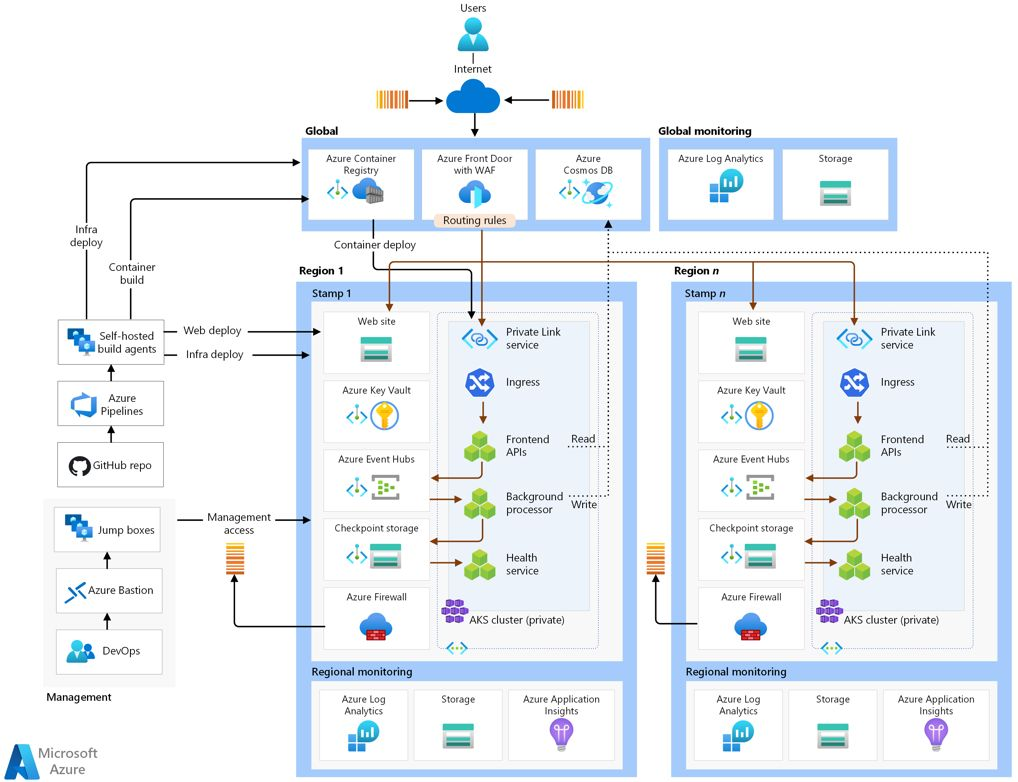
Following is a reference architecture from Microsoft learn documentation that aims to address the Mission-critical baseline architecture on Azure – and is focused on maximizing reliability and operational effectiveness.

Reference material URL 👉 https://learn.microsoft.com/azure/architecture/reference-architectures/containers/aks-mission-critical/mission-critical-intro?WT.mc_id=AZ-MVP-5004750

Call to action

Please, let me know your feedback and challenges with securing your Azure virtual networking environment.

You are always welcome to check my LinkedIn post and provide your valuable feedback 👉  https://www.linkedin.com/posts/elkhanyusubov_cloudmarathoner-microsoftazure-azurenetworking-activity-7282613021695197185-48hW

Celebrating MCT Regional Lead announcements

Hello, my dear Cloud Marathoners!

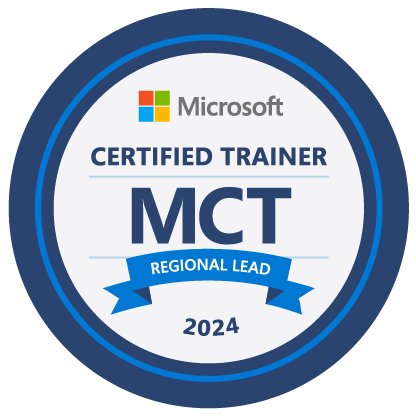
As a #cloudmarathoner, I am excited 😍 to share with you 👨‍👩‍👧‍👦 an awesome news that I have been selected as MCT Regional Lead for the year 2024 from the USA 🎉

I would like to thank everyone, including my MCT (Microsoft Certified Trainer) colleagues who nominated me for this important role to help our community of MCTs.

Special thanks 🙏 go to Dwayne Natwick, 🎼Brian Gorman, Jared Bell, Jason Keplinger, and Microsoft MCT leadership for recognizing my #community contributions and continued support👏

🤔 Well, who are the MCT Regional Leads ❓

MCT Regional Leads are a group of experienced MCTs committed to providing community connection and support to MCTs at the regional level. The Regional Leads promote MCT career opportunities, mentor new trainers, and continue to advocate for programs and resources meeting MCT needs.

I am truly thrilled to meet, collaborate, and contribute with fellow MCT Regional Leads and the MCT community from all around the world 🌍 🌐

📞 Need help from MCT Regional Lead then let’s connect 😉

Check out my LinkedIn post on this matter an feel free to ask questions in comments section.

Microsoft DevOps 🚀 Engineer Expert certification renewal

Hello, my dear friends!

I am very glad to renew the Microsoft DevOps 🚀 Engineer Expert certification for another year 👍

The #cloudjourney and learning never stops ⛅❗🏃‍♂️ 🏃‍♀️

What is included in the annual assessment?

This exam assesses the following DevOps skills:
✔ Configure processes and communications
✔ Design and implement source control
✔ Design and implement build and release pipelines
✔ Develop a security and compliance plan
✔ Implement an instrumentation strategy

Your Support is Appreciated!

Thank you 🙏 T-Rex Solutions, LLC for a strong and relentless learning culture and for supporting my Microsoft #MVP journey 👏

In Summary

What is your next #certification#renewal ⁉ 🤔
Please, share in the comments 💬 below or on my LinkedIn post page.

Happy New Year and Congratulations to “Awesome Azure Bicep” community of contributors!

Good day, #CloudMarathoner community!

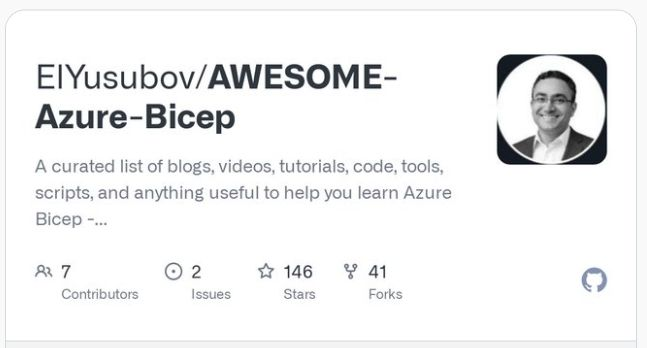
I am very glad to announce the latest stats and progress on our community repo “Awesome Azure Bicep”!

What is Awesome Azure Bicep

This is a GitHub repo that helps you to learn and discover resources that are helping you with the adoption of Azure 🚀 Bicep – a new #infrastructureascode approach to manage Azure resources.

📌 Check out a curated list of blogs, videos, tutorials, code, tools, scripts, and anything useful to help you learn Microsoft #AzureBicep language 👉https://lnkd.in/e58nEfbd

Awesome Azure Bicep repo

who are the contributors?

Huge Kudos to #community contributors who made the latest version possible:

Luke Murray
Kasun Rajapakse
John Lokerse
Sam Cogan
Christopher Maneu
Matt Willson

call for action

Thanks for the 145+ 🌟 and 40+ 🍴 from the #community we are growing and looking for your contribution 😍

Please, check this #community maintained and updated repo and feel free to open an issue or provide feedback.

📌 Check out the post details on LinkedIn platform 👍

Thank you for all your hard work!

Festive Tech Calendar 2022 Session details are coming soon!

Hi friends,

I hope you are all excited about the upcoming special, a month-long event.
The Festive Tech Calendar 2022 Session details are coming soon!  

This year, organizers are aiming for something a bit different and more joyful. It will be a joyful learning experience throughout the month of December as the event will bring you much new content from different speakers and communities around the globe.

We are presenting

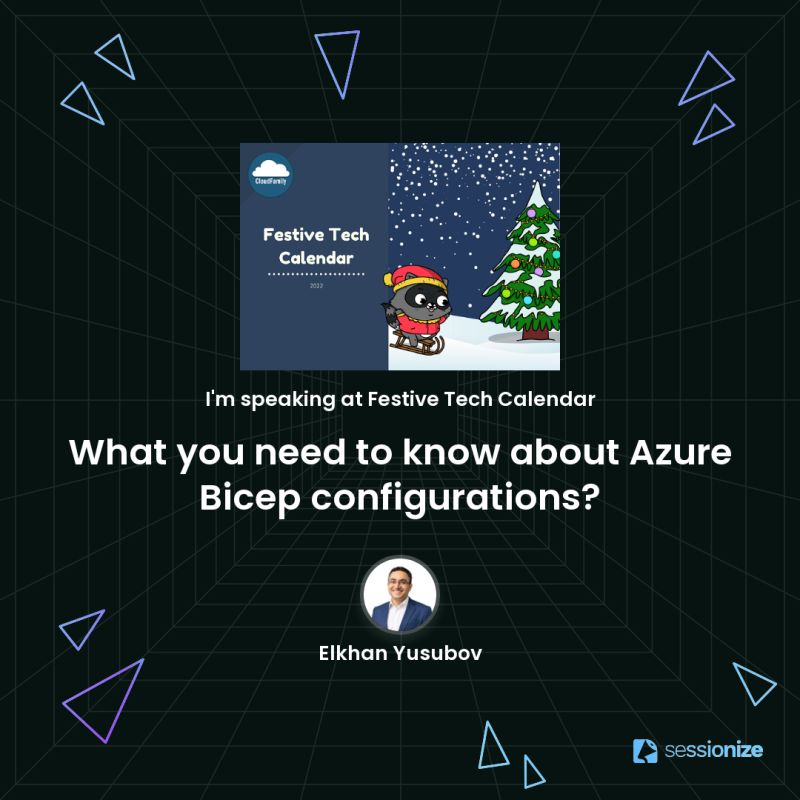
Awesome news came from the Festive Tech Calendar, as I am presenting this year too, with the recent content on Azure Bicep configuration details.

LinkedIn post details

Thank you, organizers, I will be doing a session with a holiday theme to help our community members with configuring the Azure Bicep development environment.

📌 Visit every day >> https://lnkd.in/dKFawYNn to learn new things!

And don’t forget to check out the DAY 16 😉

Have a festive and warm month in December!

🎄
✨

Microsoft Cloud Skills challenge is back with #MSIgnite

Hello Cloud Marathoners!

There is a great announcement from the Microsoft Ignite event that announced the Cloud Skills Challenge will be back this year. YAY !

Cloud Skills Challenge

This is a time bounded event where you choose your tech challenge and earn a Microsoft certification exam by studying the Microsoft technology of your choice.

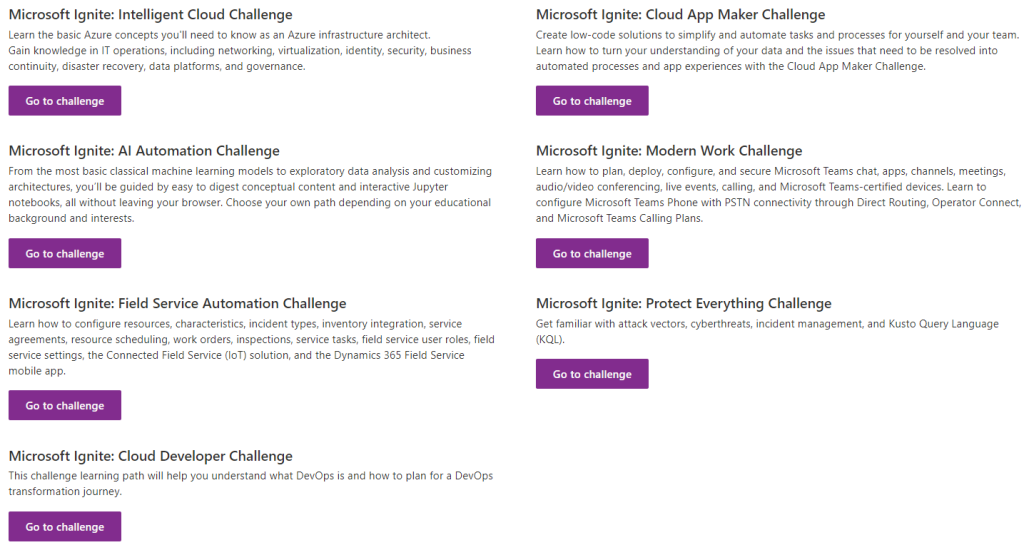
And this year, there will be 7 challenges available to choose from, select one that’s right for you.

No alternative text description for this image

Registration Page

Complete one of the learning challenges below to get a 100% discount (aka #free) on one of the following Microsoft certification exams:

▶ AZ-305: Designing Microsoft Azure Infrastructure Solutions
▶ AZ-400: Designing and Implementing Microsoft DevOps Solutions
▶ DP-100: Designing and Implementing a Data Science Solution on Azure
▶ MB-240: Microsoft Dynamics 365 Field Service Functional Consultant
▶ MS-700: Managing Microsoft Teams
▶ MS-720: Microsoft Teams Voice Engineer
▶ PL-100: Microsoft Power Platform App Maker
▶ SC-200: Microsoft Security Operations Analyst

Registration page details are provided here.

Summary

Now that you know this great announcement, it is time to get ready for the challenge and learn cool stuff at the Microsoft Ignite 2022 event.

Take care and see you all there!

Microsoft Inspire 2022

Hello Cloud Marathoners,

It is summertime and naturally we all want to enjoy it, right?
Microsoft is scheduled to hold its annual signature event for partners – called Microsoft Inspire in few weeks.

What is Microsoft Inspire?

It is a conference held annually by Microsoft Corporation for its partner organizations and community around the globe. At Microsoft Inspire, partners learn about the Microsoft’s technology announcements for the upcoming year and experience the latest product innovations while learning new skills and techniques.

Microsoft Inspire 2022 registration

Usually, it starts with a keynote from Satya Nadella – a Microsoft CEO and Board Director, followed by other Microsoft executives, featured speakers, business-track specific offerings, and hundreds of sessions.

How to Register?

This year, the Microsoft Inspire will be a virtual event and #free.
Thank you, Microsoft, for opening this event for every organization and people!

Please use the link below to register and don’t forget to pick/book your sessions from Schedule once your registration is completed.

📌 Register for #FREE 👉 https://lnkd.in/e6Ksnd6T
📅 July 19-20, 2022

Hope you will all join and enjoy this event!