
Hey my Cloud Marathoner friends,
As a Cloud Marathoner, continuous learning is part of the journey. Recently, I renewed my Microsoft 365 Certified: Teams Administrator Associate certification, and I want to share the experience so you can prepare for yours.
Why Renewal Matters
Microsoft certifications are valid for one year, and renewal ensures your skills stay aligned with the latest updates in Microsoft Teams. The renewal process is free, online, and unproctored—perfect for busy professionals who want flexibility.
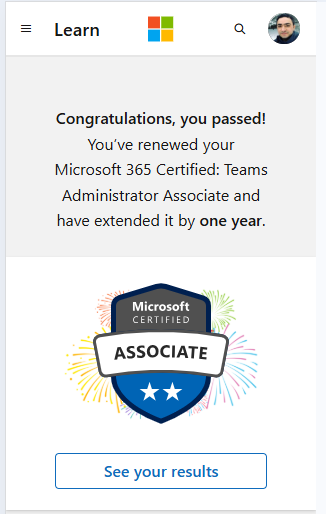
Got a renewal badge upon a successful renewal
The Renewal Process
Here’s what I learned from the official site on Microsoft Learn renewal page:
- Eligibility: You can renew within six months before expiration.
- Assessment: A short, open-book online assessment focused on recent Teams updates.
- Skills Measured:
- Implement compliance for Microsoft Teams
- Lifecycle management and governance
- Manage external access and Teams devices
- Configure Teams Phone, auto attendants, and call queues
- Manage apps and collaboration experiences for chat and channels
- Attempts: Unlimited until expiration, with a 24-hour wait between retakes.
- Validity: Passing extends your certification by one year.
Preparation Tips
Microsoft provides a curated learning collection (about 8 hours) to help you prepare. I recommend:
- Reviewing Teams governance and compliance modules.
- Practicing Teams Phone configuration scenarios.
- Exploring device management and external access best practices.
Did i cleared the exam?
Well… not 100% flawlessly! 😅 While preparing for the renewal assessment, I discovered many new features and updates in Microsoft Teams—especially around management and governance. These changes reminded me that staying current is a continuous journey.
I had to catch up on several latest capabilities, and honestly, that was the most exciting part of the process. Despite all the odds, I managed to pass the assessment with a good score! 🎉
Here’s the reality check:
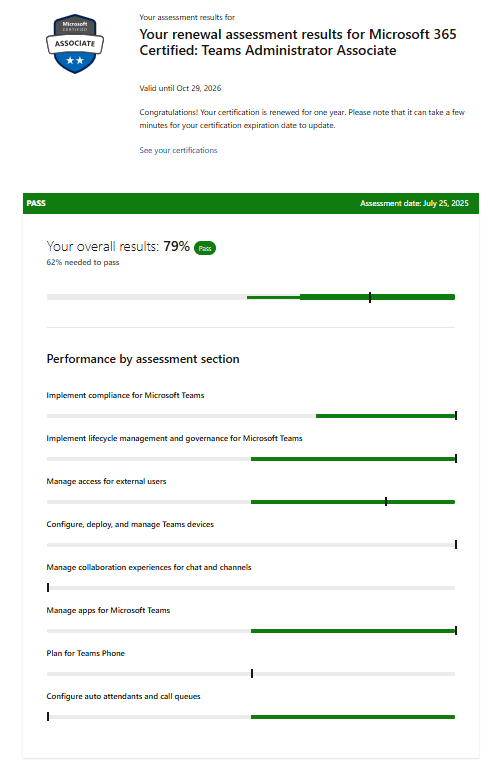
- The renewal assessment highlighted areas where I need improvement.
- Features like Manage collaboration experiences, advanced compliance settings and Teams phone deserve more attention in my learning plan.
And yes, I’ve got the screenshot from my exam results showing the points I should improve—because growth is all about transparency and learning forward.
Key Takeaways
Passing is great, but the real win is identifying gaps and planning your next learning sprint. That’s what makes us true Cloud Marathoners—always running toward knowledge, not just the finish line.
Are you planning to renew your Teams Admin certification soon?
Drop your thoughts in the comments or share your experience with the Cloud Marathoner community!
